
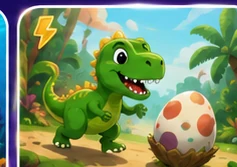



🖍️ Pick a picture and add color

Free Coloring for Kids Online

Choose an original coloring template in Art Studio, then use brush, marker, Paint Fill, stickers and custom colors to make the picture your own.

Coloring pages with more than one way to paint

Instead of only tapping preset colors, children can combine brush strokes, marker lines, Paint Fill and stickers. This allows the same template to look different every time.

Original picture templates

Current templates include Rocket, House, Fish, Flower, Sun, Castle and Dino, plus a blank page for free drawing.

Paint Fill for larger areas

Paint Fill can quickly color an enclosed section of a template, while Brush and Marker can be used for extra detail.

Choose your own colors

The built-in palette provides bright child-friendly colors, and a custom color picker gives more choices.

Decorate with stickers

Children can add stars, hearts, flowers, rainbows, clouds, butterflies, smiles, rockets, crowns and paw prints.

Helpful answers

Frequently asked questions

Quick information for parents and children choosing an activity.

Are the coloring pages free?

The browser Art Studio and its current coloring templates can be used without purchasing a coloring activity.

What coloring pictures are available?

Art Studio currently includes Rocket, House, Fish, Flower, Sun, Castle and Dino templates, plus letters, numbers and a blank page.

Can kids use a paint bucket or fill tool?

Yes. Art Studio includes Paint Fill for coloring enclosed areas, as well as Brush, Pencil and Marker tools.

Does the coloring activity work on tablets?

The canvas supports touch input, so it can be used on many phones and tablets as well as with a mouse or stylus.